 ENG
ENG JPN
JPNInternational remittance are based on different laws which necessarily requires personal identification documents. For Member registration as well as guest registration please provide with required personal identification documents.
documents to be submitted by the Japanese nationality
If you have a Individual Number Card, you only need to submit one. But, If you don't have a Individual Number Card, you need to submit additional documents related to your personal number and documents for ID verifications.
a person with a Individual number card
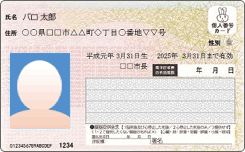 Front
Front
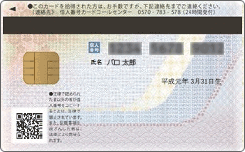 Back
Back
Individual Number card
Someone who doesn't have a Individual number card
- Related documents for personal number
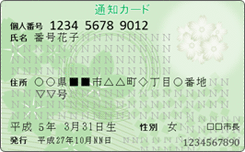 Front
Back
Front
Back
Notification Card
OR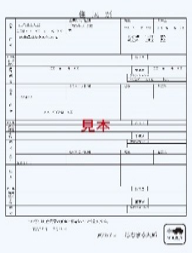 Front
Front
Certificate of Residence
*issued within 6 months
documents to be submitted by the Japanese nationality
- Related documents for personal number
- Driver`s License
- Basic Resident
Registration Card - Passport
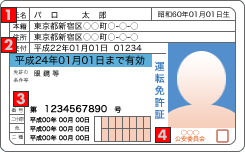 Front
Front
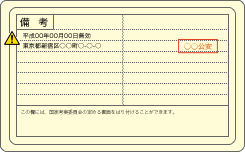 Back
Address, name, date of birth must be visible and should match with the information you have provided for member registration.
Back
Address, name, date of birth must be visible and should match with the information you have provided for member registration.Please confirm that it's valid and unexpired. Your identification card will only be accepted if it is valid and unexpired.
Please confirm that the document number is visible
Please confirm that the official seal is visible
Please send us copies of both front and back side of the identification document.
※If there is any update made, please confirm the official seal.
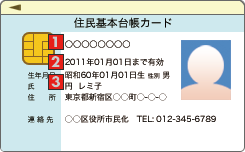 Front
Front
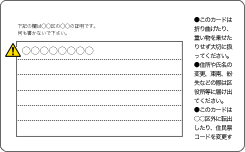 Back
Please make sure that the name of the local government of the publisher is clearly written.
Back
Please make sure that the name of the local government of the publisher is clearly written.Please confirm that it's valid and unexpired. Your identification card will only be accepted if it is valid and unexpired.
Address, name must be visible and should match with the information you have provided for member registration.
Please send us copies of both front and back side of the identification document.
※If there is any update made, please confirm the official seal.
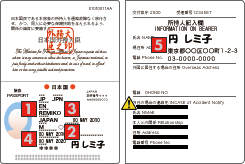 Front
Please confirm that your name is visible.
Front
Please confirm that your name is visible.Please confirm that your signature is visible.
Please confirm that your date of birth is visible.
Please confirm that the date of expiry is visible, and it is valid and unexpired.
Please confirm that your address is visible.
Only passports issued before February 2020 are valid.
documents to be submitted by other than Japanese nationality
- Related documents for personal number
Front
Back
Individual Number card
ORFront
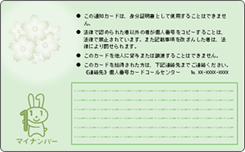 Back
Back
Notification Card
ORFront
Certificate of Residence.
*issued within 6 months
documents to be submitted by the Japanese nationality
- Related documents for personal number
- Residence Card
- Special Permanent
Resident Certificate
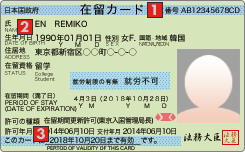 Front
Front
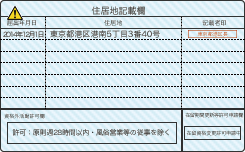 Back
Please confirm that the symbols and numbers are visible.
Back
Please confirm that the symbols and numbers are visible.Address, name, date of birth must be visible and should match with the information you have provided for member registration.
Please confirm that it's valid and unexpired. Your identification card will only be accepted if it is valid and unexpired.
Please send us copies of both front and back side of the identification document.
※If there is any update made, please confirm the official seal.
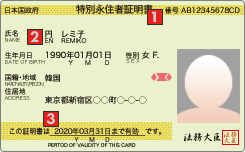 Front
Front
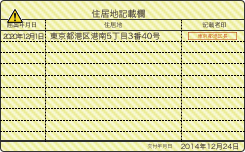 Back
Please confirm that the symbols and numbers are visible.
Back
Please confirm that the symbols and numbers are visible.Address, name, date of birth must be visible and should match with the information you have provided for member registration.
Please confirm that it's valid and unexpired. Your identification card will only be accepted if it is valid and unexpired.
Please send us copies of both front and back side of the identification document.
※If there is any update made, please confirm the official seal.
How to verify your identity
You can submit by uploading or emailing.
After confirmation by the operator, a "Welcome Letter" will be sent to your home.
※ It will take approximately 2 to 5 business days for the "Welcome Letter" to be delivered.
- upload
- Attach to email
 STEP1
Take a photo
STEP1
Take a photoPlease take a photo of the identification document you have selected using your mobile phone or other device.
Make sure you can see both the front and back of the document. STEP2 Upload and send scanned or photographed images
Select type.
Click the "Browse" button for Attachment 1.
Click the "Browse" button for Attachment 2.
Finally, click the "Upload" button to complete the process.
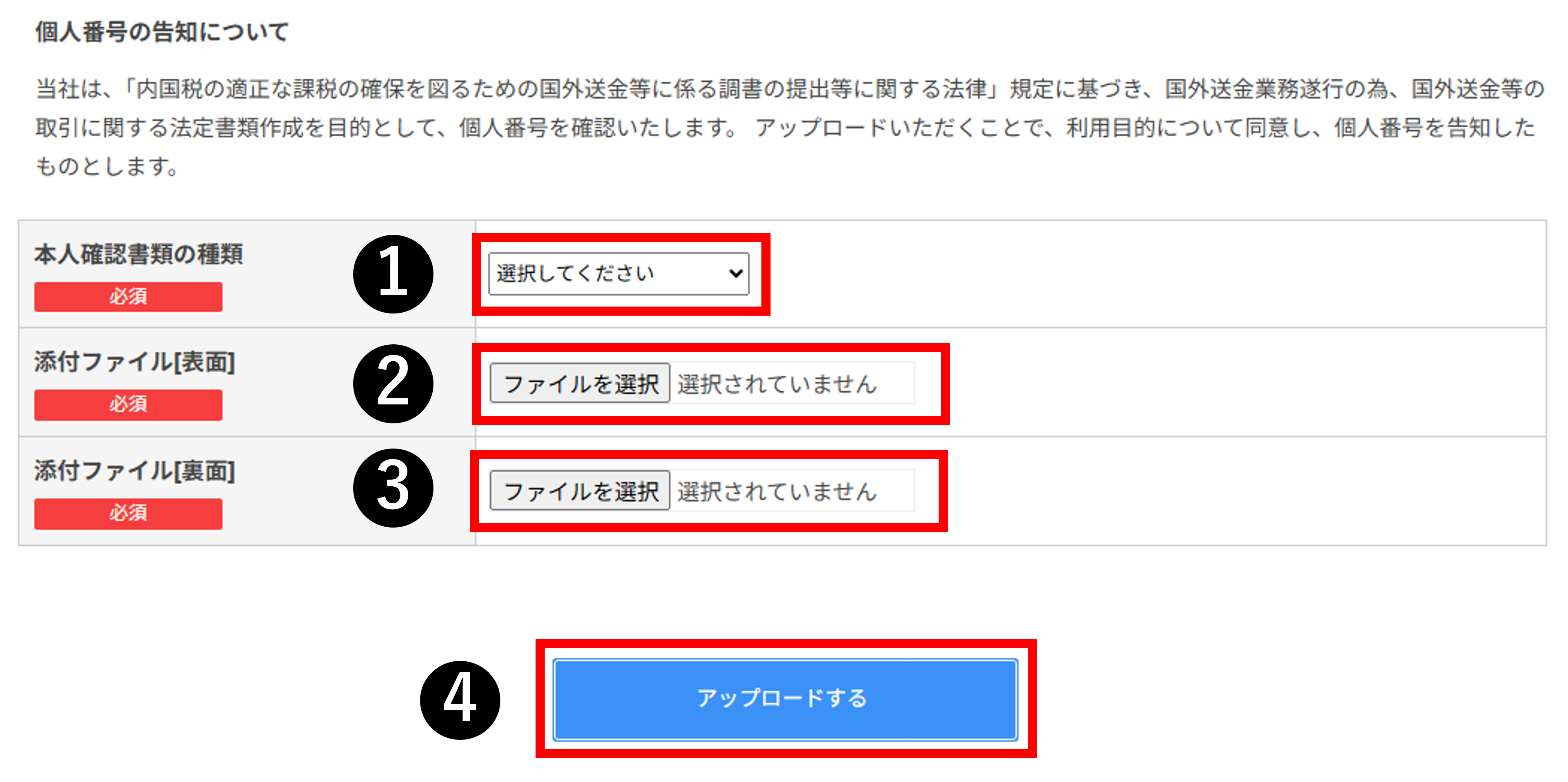
 STEP1
Take a photo
STEP1
Take a photoPlease take a photo of the identification document you have selected using your mobile phone or other device.
Make sure you can see both the front and back of the document. STEP2 Sending scanned or photographed images as email attachments
id@rupeesend.com

[Notes when sending emails]
Please enter "(Identity Verification Card)" as the subject of the email.
Please include your "member ID," "name," "address," and "contact information" in the body of the email.